
Asset Current Value and Expiration Alerts
Users can track asset current value and be automatically notified prior to the expiration date of a warranty or service / maintenance contract that is due to expire as well as be notified as to the scheduled end of life of a given asset. These automatic notifications enable users to manage contract renewals prior to expiration and avoid a potential service outage or increased service renewal costs. This feature also provides users with the notification of an asset end of life alert to ensure asset replacement planning occurs prior to asset expiration.
Asset expiration notifications can be managed by selecting an asset from the Infrastructure Explorer pane, and selecting the Contracts tab in the Details pane. Alternatively, users can also select an asset from the Infrastructure Explorer pane, and click on the Contracts quick action button at the top of the screen to enter and update contract related data for an asset.
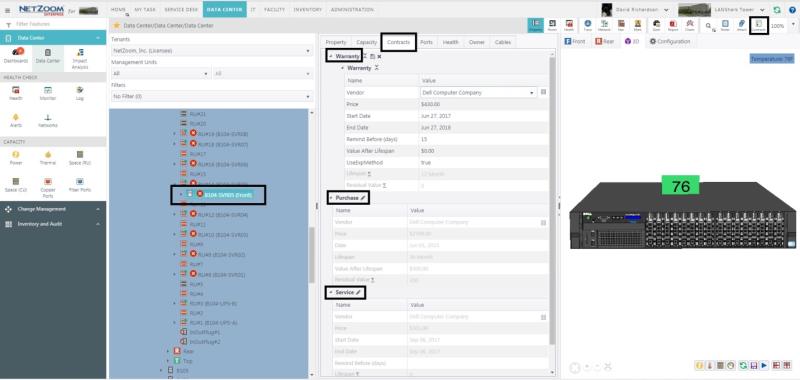
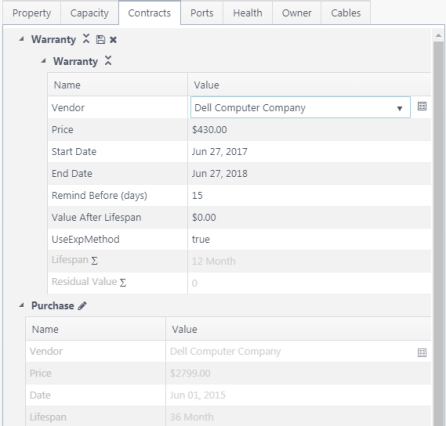
Users can fill in the details regarding warranty and service contracts, as well as asset purchase details. Expiration alerts are based on the “Remind Before” date selected. In the example below, selected users will receive the expiration notification 15 days prior to warranty expiration. Asset “Purchase” expiration and services agreement expiration notifications are managed in the same manner as warranty expiration alerts.
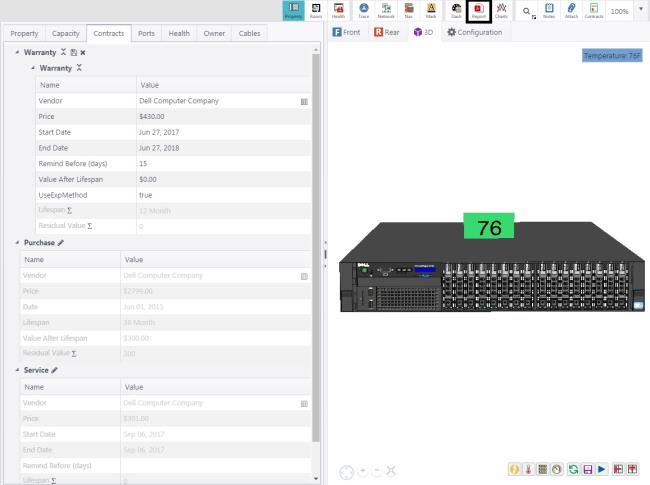
Additionally, there are a number of asset related reports that users can run to determine asset current value, warranty status, and asset expiration dates. Clicking on the Reports quick action button for the selected asset will provide a reports listing to choose from.
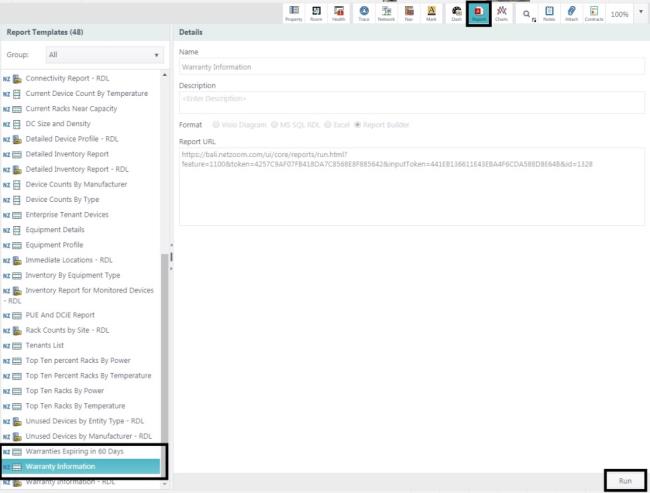
Users can select the asset related report to run, and click the Run button to execute and receive the report in a .pdf format.
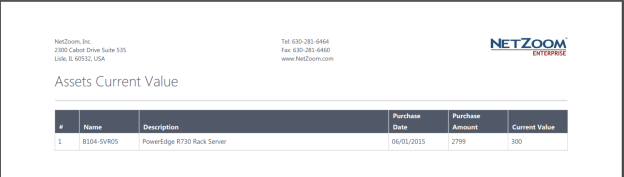
The Asset Current Value report displays asset purchase history and current asset value.
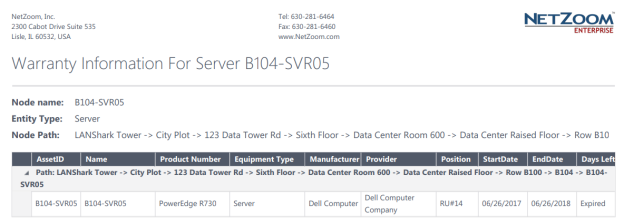
The Warranty Information report provides asset location, warranty details, and asset warranty status.
A detailed explanation of how to use Asset Expiration Alerts can be found in the user manual here <Asset Expiration Alerts>.
Last Updated: Thursday, August 13, 2020
NetZoom, Inc.