
Monitoring with RFID
NetZoom integrates with different kinds of RFID tags to provide asset location and environmental information such as:
- Asset locator: Sensors to locate a device.
- Environment: Sensors for temperature, humidity and water detection,
- Door Alarm: Sensor to detect when is a rack door opened,
- Rack: Locator strip to detect when devices are removed from a rack,
Setup RFID Instance
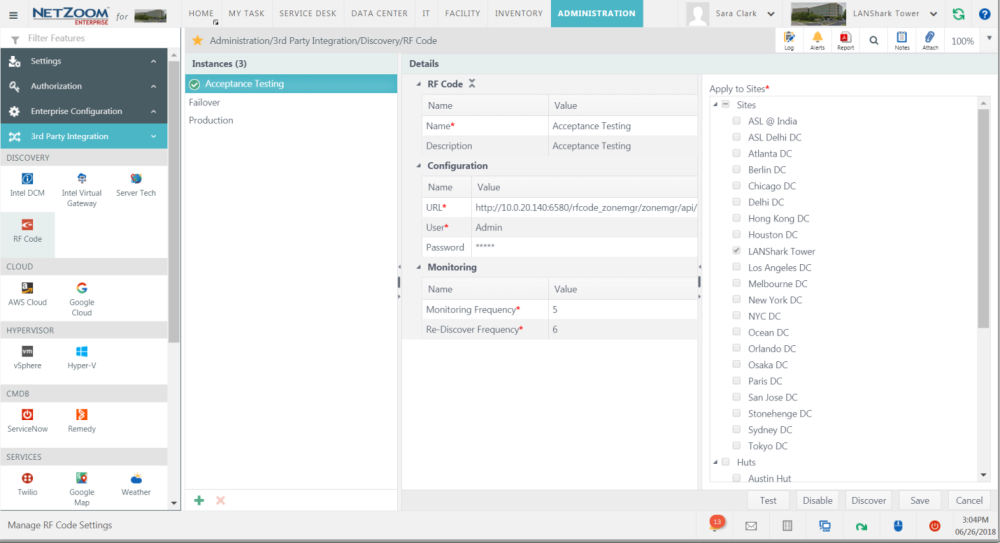
Feature Path: Administration/3rd Party Integration/Discovery/RF Code
To be able to use the RFID integration, the RFID instance must be setup in NetZoom.
- Click
 to bring up a new instance form.
 - Fill in the Name of the instance, URL to Zone Manager (for example: http://10.0.20.140:6580/rfcode_zonemgr/zonemgr/api/ ), username and password.
- Fill in the Monitoring Frequency in minutes and the Re-Discover Frequency.
- Select the sites to monitor.
- Click the [SAVE] button to save your instance.
- Click the [TEST] button to test your instance. Once your instance has been properly tested, click the ENABLE button to enable the instance.
Now you are ready to discover the RFID tags.
Discover Tags
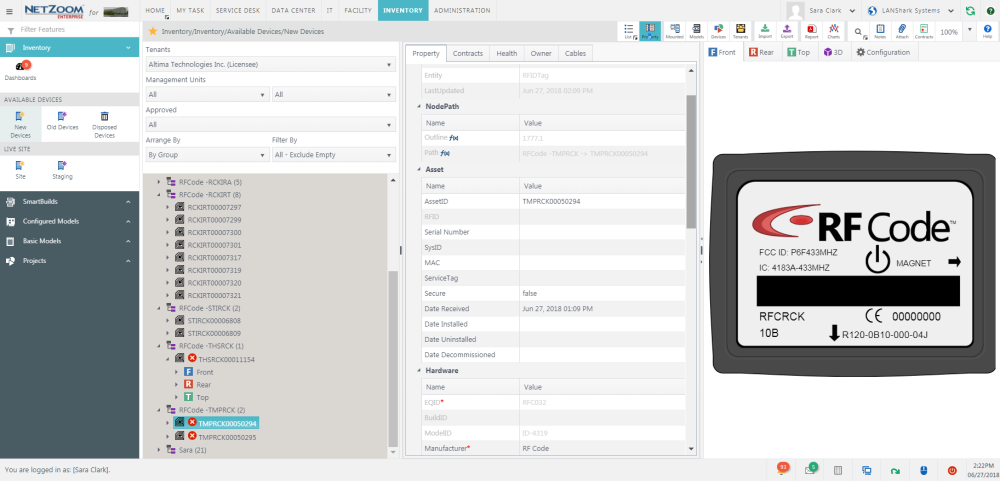
Once the RFID instance has been setup and enabled it is time to discover the tags. Click the [DISCOVER] button to find all of the tags in Zone Manager.
The tags are automatically added to Inventory and grouped by type. Even when sitting in Inventory, environmental tags will return their observed environmental metrics. Tags can be added to devices, racks, floors and walls using Change Management.
Locating Tags in the Data Center
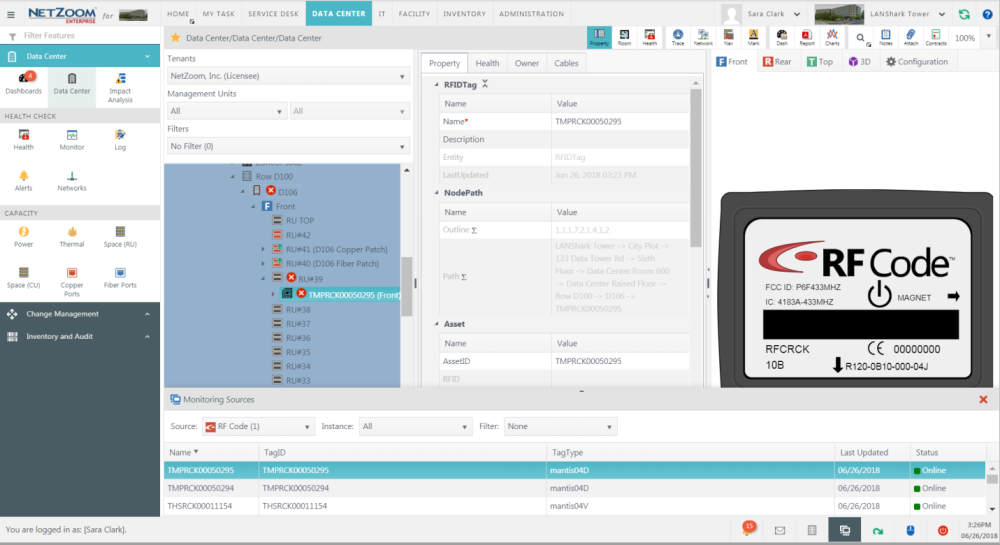
To locate any tag in the data center
- Use the [MONITORING SOURCES] button on the status bar to popup the Monitoring Sources pane at the bottom of the screen.
- Pick the integration time from the Source combo box.
- Double click any of the entries in the list to locate the device in the data center or inventory.
Available Quick Actions
- Log
- Alerts
- Reports
- Search
- Add Notes
- Attach a File
- Zoom
- Quick Help
Last Updated: Thursday, August 13, 2020
NetZoom, Inc.